
Change Slot Types
You can change the slot type in the Session and Day views for multiple appointments, for example, making more emergency appointments following a Bank Holiday.
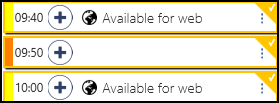
- Right click on each appointment to select.
- "XX items selected"
 prompt appears at the bottom right of the screen confirming the number of items selected.
 - The toolbar activates at the top of the screen.

- Select the Change type
 button.
 - Choose the slot type, for example Emergency from the picking list.
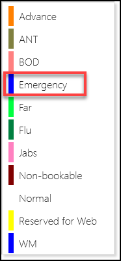
- The slot types automatically update and change to Emergency.

